|
ZABBIX - Settings for Alart Notification
|
| Set config for Alart Notification.
When a failure happens, an alert email is sent to admin's email address.
For this example, set config if httpd service is down. |
|
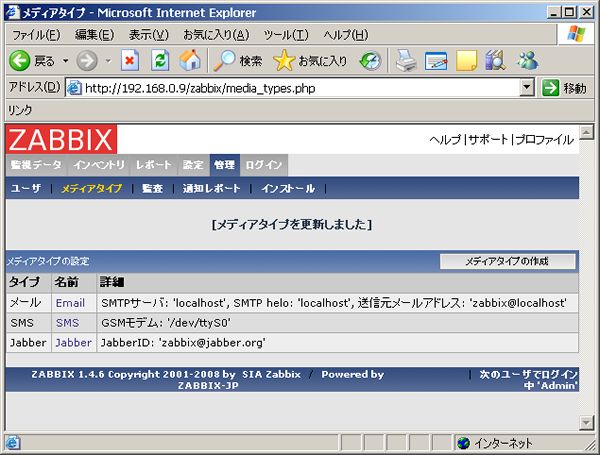
| [1] | Click "Administration" - "Media", and in next screen, Click "Email". |
|
| [2] | Input and save informations for mail-server you using. |

|
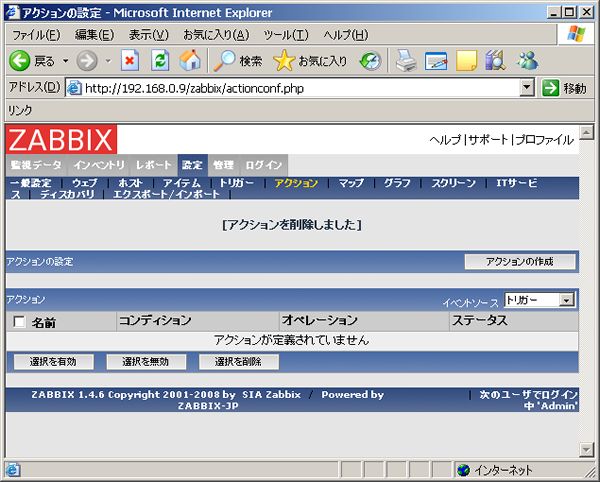
| [3] | Click "Config" - "Action", and next, Click Create an action". |
|
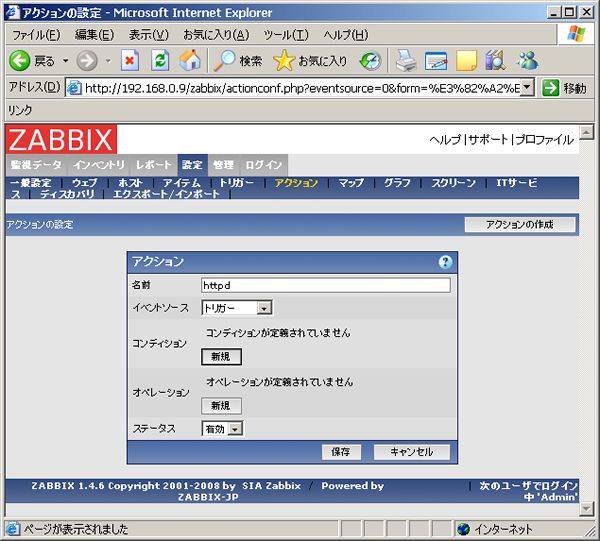
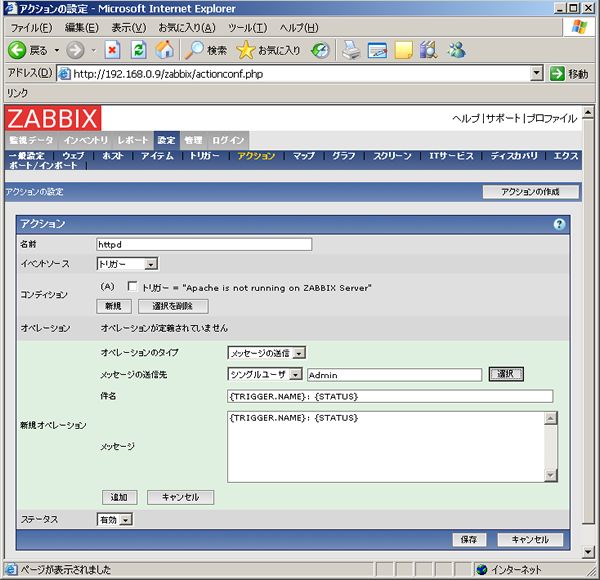
| [4] | Input any name in 'Name' section and Click 'New' in Operation section. |
|
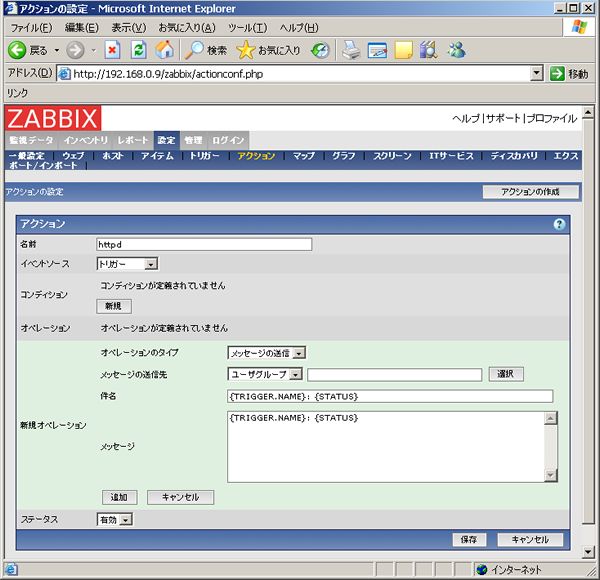
| [5] | Click 'New' in condition secton. |
|
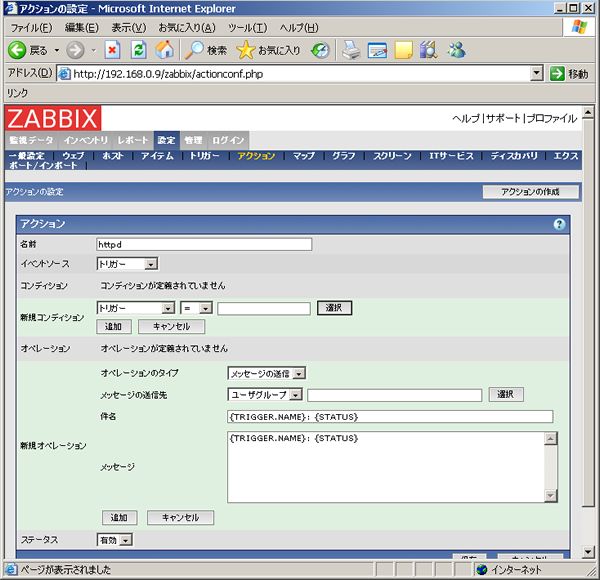
| [6] | Select 'Trigger' in New Condition section and next, Click 'Select' button on the right. |
|
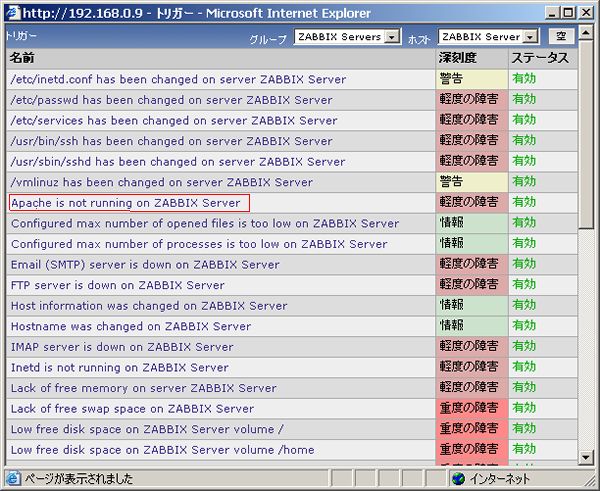
| [7] | Select 'Apache' for example. |
|
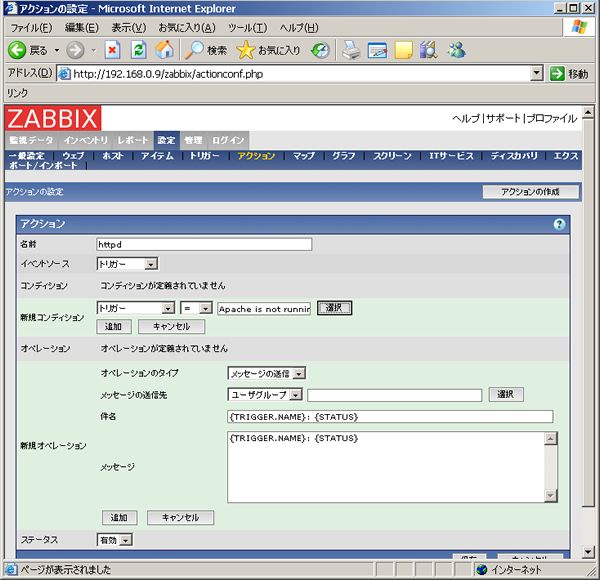
| [8] | Click 'Add' button in new condition section. |
|
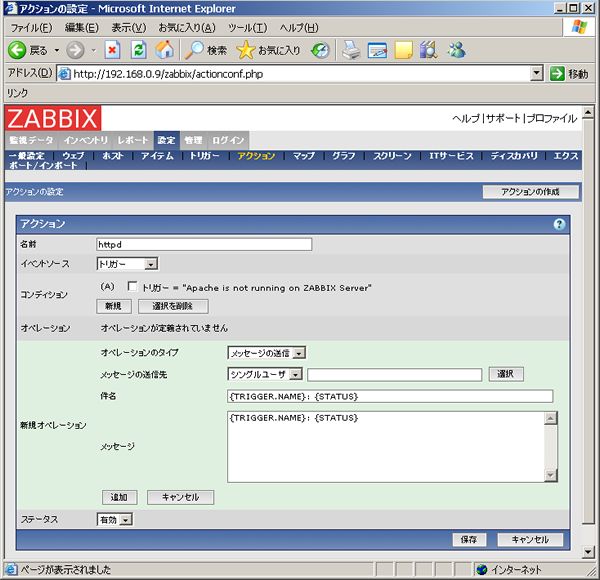
| [9] | Select 'Single user' in Recipient section and Click 'Select' button on the right. |
|
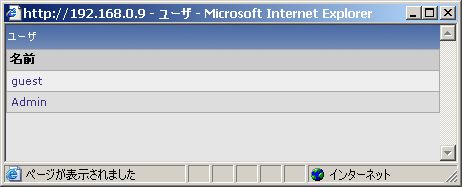
| [10] | Select "Admin". |
|
| [11] | Click 'Add' button in New operation section. |
|
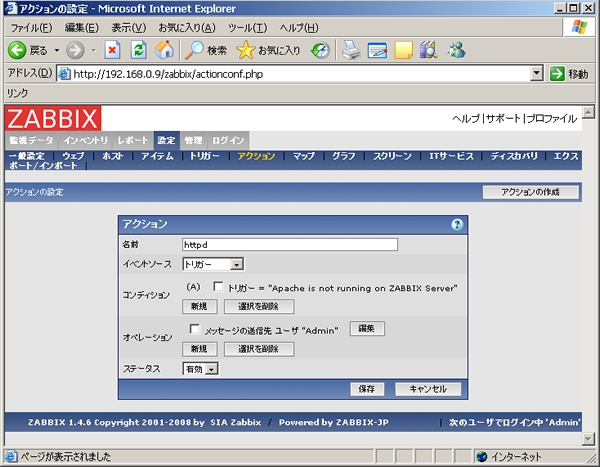
| [12] | Click 'Save' button at the bottom. |
|
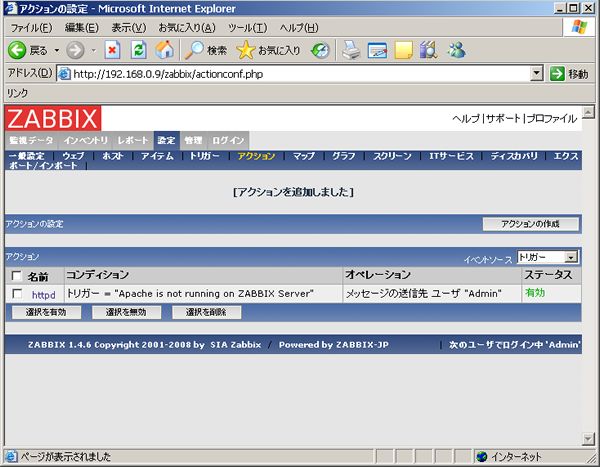
| [13] | Just added an action. |
|
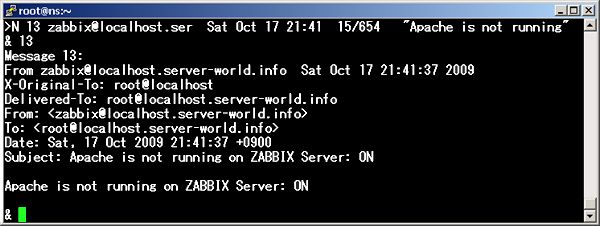
| [14] | Try to stop httpd service. Then follwing notification comes to admin's emailbox. |
|